Email Configuration
Email Configuration
The Email Configuration tab in the Stack Console allows you to set up SMTP settings for sending system-generated emails such as alerts, notifications, and user communications. These settings define how emails are delivered from your platform using a secure and authenticated mail server.
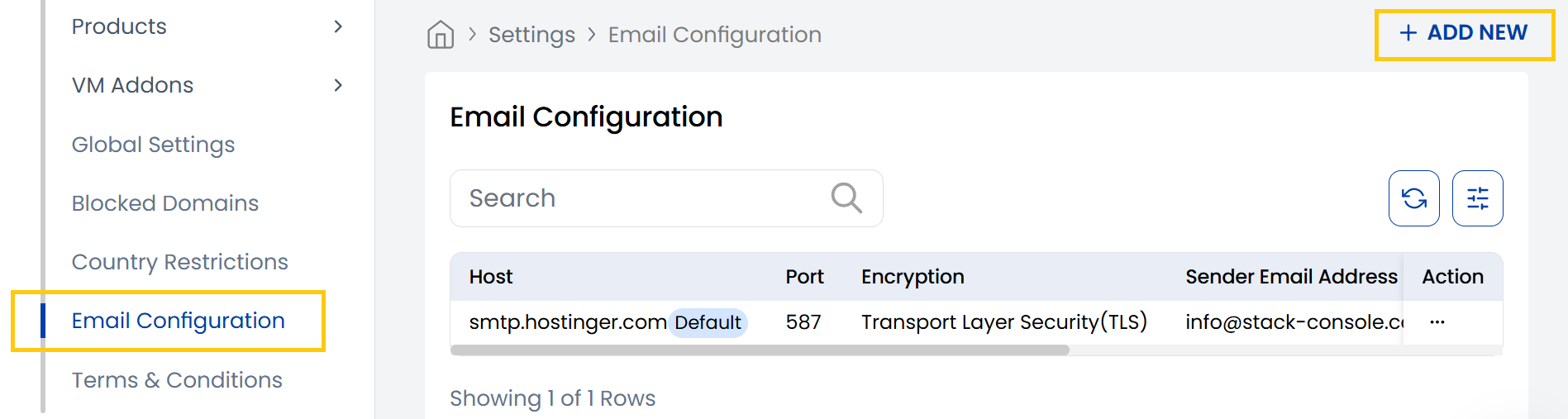
- From Settings section, navigate to Email Configuration to view the list of configurations. To add a new email configuration, click on Add New located on the right-hand side of the page.
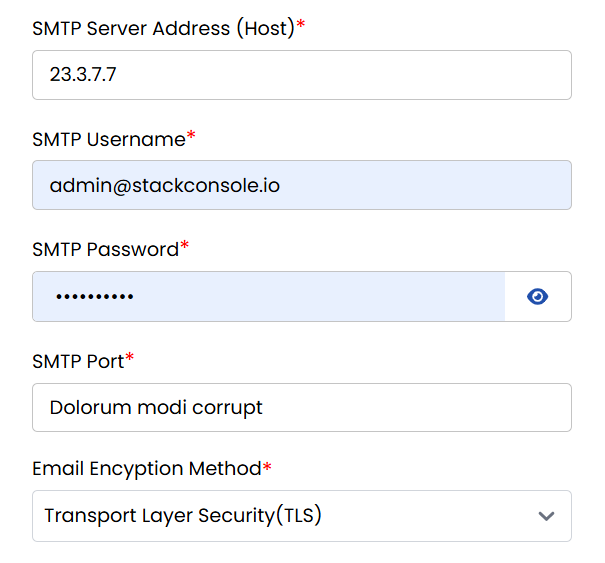
- SMTP Server Address (Host): IP or domain of the outgoing mail server.
- SMTP Username: Email or username used for server authentication.
- SMTP Password: Password for SMTP account (kept hidden).
- SMTP Port: Port number used for sending emails (e.g., 587 for TLS).
- Email Encryption Method: Security protocol used to encrypt outgoing emails (TLS/SSL).
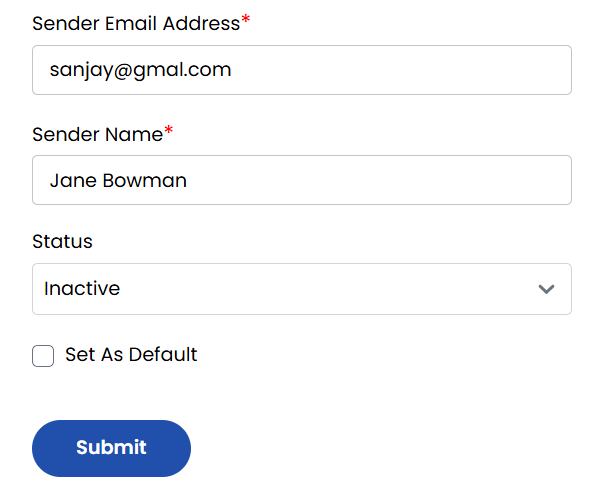
- Sender Email Address: The email address shown as the sender in outgoing messages.
- Sender Name: The display name associated with the sender email.
- Status: Toggles whether this SMTP configuration is active or inactive.
- Set As Default: Marks this SMTP setup as the primary/default for the system.
Click on Submit to save and apply the SMTP settings.
Conclusion
The Email Configuration tab is crucial for managing how your system communicates with users. Proper SMTP settings ensure reliable, authenticated, and secure email delivery across all your platform's messaging features.